

Build App No Code: What Real Builders Need
If you’re searching for how to build app no code or build app with no code, you’re probably not looking for another toy demo generator.
You want something harder to find: a fast way to build a real product. Not a fake prototype. Not a half-working front end glued to five third-party tools. Not a pretty mockup that collapses the moment users sign up.
That is the real search intent behind this topic.
Founders, indie makers, startups, and lean product teams want speed — but they also need production readiness. They need auth, database support, backend logic, preview environments, integrations, and a path to launch without rebuilding everything later. That’s where most no-code and AI app builder advice falls short: it talks about “building apps” while quietly meaning “assembling demos.”
Flowdia takes a different view. It is built for teams that want to ship real web applications with a hosted backend, a dedicated Postgres database for every app, API endpoints, MCP server support, thoughtful UX, and a structured workflow that mirrors how serious software teams actually work.
“In 2024, the global no-code development platforms market was valued at approximately $20.3 billion and is projected to grow at a compound annual growth rate of 42.4% from 2024 to 2030.” — Grand View Research
“Only 31% of software projects are completed on time and within budget.” — Ztabs
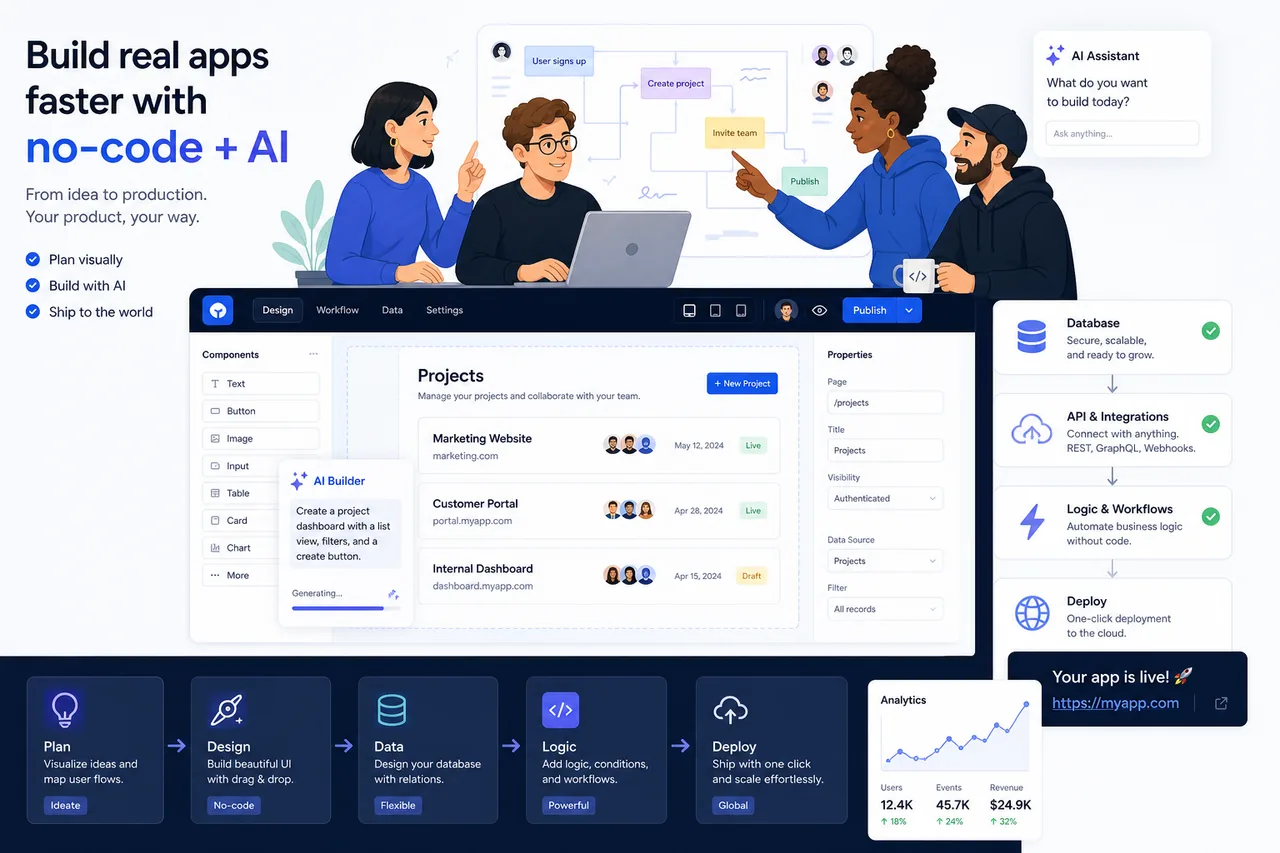
What “build app with no code” should actually mean
A lot of content in this space blurs together several very different things:
- website builders
- internal tool builders
- spreadsheet apps
- AI prompt-to-demo tools
- real application platforms
Those are not the same category, and pretending they are creates bad buying decisions.
When serious builders say they want to build an app with no code, they usually mean:
- a usable product people can sign into
- real data storage
- business logic and workflows
- reliable hosting
- deployable environments
- integrations with the rest of their stack
- room to iterate without starting over
That means the standard for success is not “I got a screen on the internet.” It is: can this run as an actual product?
The gap most competitor articles miss
After reviewing leading articles in this space, the pattern is clear:
- they compare tools mostly by ease of use
- they focus heavily on templates and UI
- they mention AI generation as a feature
- they rarely dig deep into backend ownership
- they gloss over database architecture
- they underplay environment management
- they almost never discuss AI-tool interoperability through APIs or MCP
- they rarely explain the difference between a builder that helps you launch and one that helps you merely present
That’s the gap this guide closes.
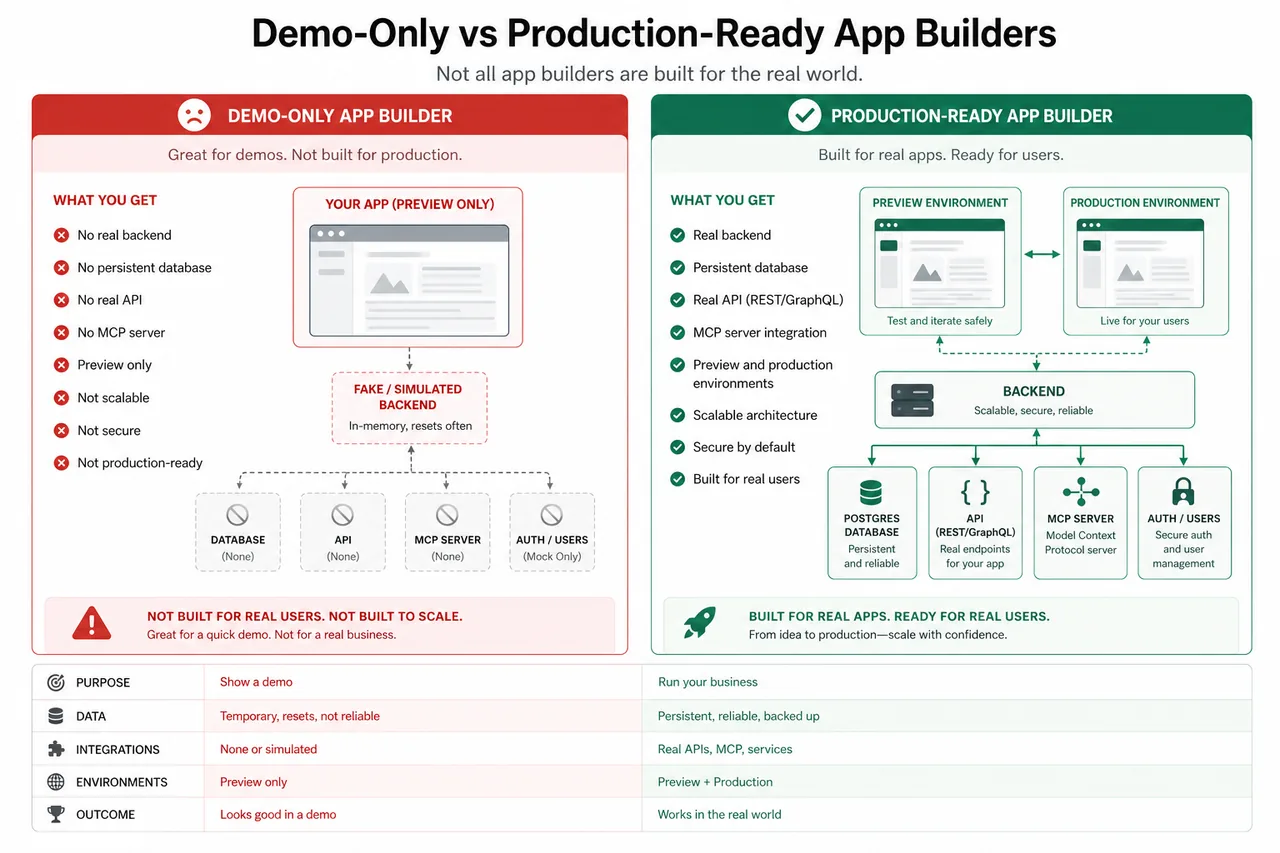
The new divide: demo builders vs real app builders
The no-code and AI builder market is now split into two camps.
Demo builders
These tools are optimized for:
- getting something visual on screen fast
- impressing users in the first five minutes
- generating a front end from a prompt
- relying on external tools for backend depth
They are useful for ideation. But they often create technical debt before you even launch.
Real app builders
These are designed to produce:
- a working application
- hosted backend infrastructure
- database support
- APIs
- deployment workflows
- maintainable iteration over time
That difference matters more than almost any template or drag-and-drop feature.
What real builders should demand from a no-code platform
If you want to build app no code and not regret your platform choice six weeks later, these are the features that actually matter.
1. A real hosted backend
Many tools stop at UI. That is not enough.
A real backend gives you:
- authentication and sessions
- business logic
- secure data handling
- reliable server-side behavior
- scalability beyond a simple mockup
Flowdia stands out here because it provides a real hosted backend on Flowdia infrastructure, instead of pushing you to assemble your own backend stack from third-party services.
2. A dedicated database
Shared, shallow, or bolted-on storage creates problems fast.
Every serious product needs structured, queryable data. Flowdia includes a dedicated Postgres database for every app, which is a massive advantage over tools that treat data like an afterthought.
That means your app starts with:
- relational data support
- a serious foundation for scaling
- cleaner logic
- less fragile architecture
3. Website, API, and MCP server URLs
This is one of the most overlooked signals of platform maturity.
If your app is real, it should not just have a front end. It should have:
- a website URL
- API endpoints
- an MCP server for AI interoperability
Flowdia ships with all three. That matters because it lets your app plug into modern AI workflows and external systems much more naturally.
4. Preview and production environments
A surprising number of builders still behave like every edit is a live-wire production change.
That is reckless.
Real teams need safe iteration. Flowdia includes preview and production environments, which means you can test, refine, and validate changes before they affect real users.
5. Memory across sessions
Most AI app builders suffer from a familiar problem: every new session feels like starting over. Context gets lost. Decisions disappear. Prompts drift. Costs rise.
Flowdia remembers project decisions and iterations across sessions. That makes it dramatically more useful for long-term product development, where consistency matters more than novelty.
6. Structured workflow, not prompt chaos
A serious app does not emerge from random prompting alone.
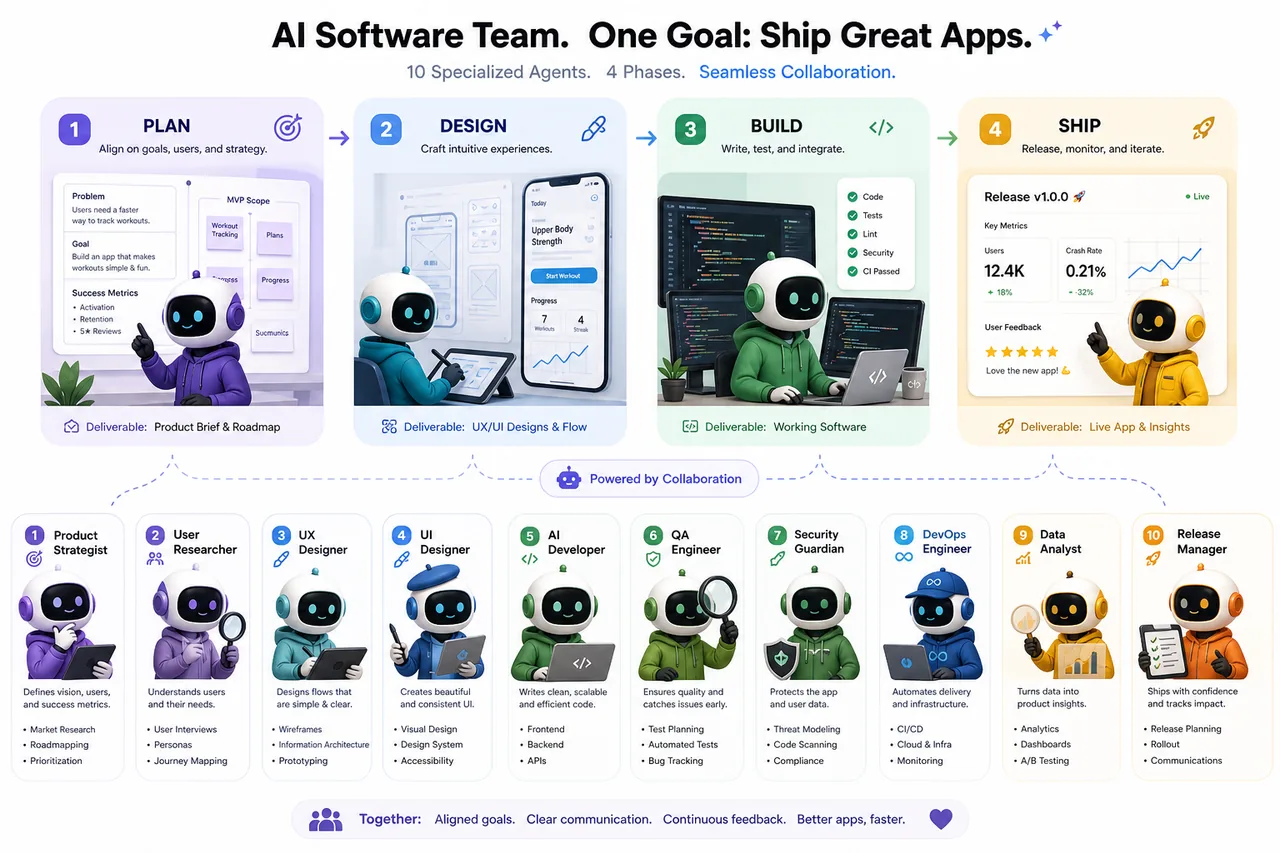
Flowdia follows a structured Plan, Design, Build, and Ship workflow. This is closer to how real software gets made and much better for reducing rework.
7. Specialized AI, not one generic model pretending to do everything
This is another major content gap in competitor articles: they talk about AI generation as if “one model does it all” is inherently good.
It usually isn’t.
Flowdia uses a 10-agent specialized AI team covering brainstorming, analysis, product management, UX design, architecture, development, code review, QA, test architecture, and security. That is a much more credible model for building production-ready applications than a single general AI trying to fake every discipline at once.
8. Strong UX and UI by default
Founders often underestimate how much design quality affects trust, retention, and conversion.
Flowdia emphasizes thoughtful UX and beautiful UI by default, which means your app is not just functional — it looks and feels like a product people can trust.
The practical checklist before you choose any app builder
Use this table before committing to any platform.
| Requirement | Why it matters | Weak platform behavior | What strong platforms do |
|---|---|---|---|
| Hosted backend | Needed for real app logic and security | Pushes you to external backend assembly | Includes backend by default |
| Dedicated database | Needed for structured, scalable products | Spreadsheet-style or shallow storage | Provides real database support |
| APIs | Needed for integrations and extensibility | Limited export or closed ecosystem | Exposes usable API endpoints |
| AI compatibility | Needed for modern workflows | No MCP or AI-tool integration path | Supports tools like Claude and Cursor |
| Environments | Needed for safe iteration | Everything changes live | Separate preview and production |
| Workflow structure | Needed to reduce rework | Prompt spaghetti | Plan, design, build, ship process |
| Session memory | Needed for long projects | Loses decisions between sessions | Maintains project continuity |
| UI/UX quality | Needed for trust and adoption | Generic scaffolded output | Better default product polish |
Where common no-code approaches break down
Many no-code success stories are real. But the category also has blind spots.
Spreadsheet-first tools
These are great for internal utilities and quick admin workflows. They are less ideal when you need:
- richer product logic
- scalable customer-facing software
- advanced backend behavior
- clean separation of application concerns
Website-first builders
These are strong for marketing pages, CMS-led experiences, and brochure sites. They are usually not enough for:
- multi-user apps
- product workflows
- backend-heavy SaaS
- serious data models
Prompt-to-app builders
These are fast and exciting, but often brittle. Common issues include:
- shallow backend support
- inconsistent iteration
- broken changes after new prompts
- weak memory
- front-end-heavy outputs that look impressive but lack product depth
That’s exactly why Flowdia’s positioning matters. It does not stop at a generated front end. It focuses on delivering a production-ready application stack.
Competitor patterns: what the market gets right — and wrong
The strongest competitor content generally agrees on a few things:
- Bubble is powerful for complex visual app building
- Glide is easy for spreadsheet-backed internal tools
- Softr is beginner-friendly
- Webflow is better for websites than web apps
- FlutterFlow is strong for mobile and code export
- AI app builders are fast but can become messy
That’s all useful. But it is still incomplete.
What they get right
- tool fit matters more than popularity
- beginners need different tools than technical teams
- there is a tradeoff between simplicity and control
- AI builders can accelerate prototyping
What they miss
- production readiness should be the main buying filter
- backend assembly is a hidden cost
- a dedicated database matters more than fancy templates
- AI-tool interoperability is becoming a serious differentiator
- structure beats raw generation for real products
- session memory is not a nice-to-have — it directly affects cost and speed
- the future is not just “no-code” but AI-assisted product development with real infrastructure
What Flowdia does differently
This is where Flowdia becomes especially relevant for readers who are frustrated with current AI builder limitations.
Flowdia builds real apps, not demos
This is the core difference.
Instead of stopping at screens and scaffolding, Flowdia generates:
- a real hosted backend
- a dedicated Postgres database
- website URL
- API endpoints
- MCP server URL
- preview and production environments
That means you are much closer to a launchable product from day one.
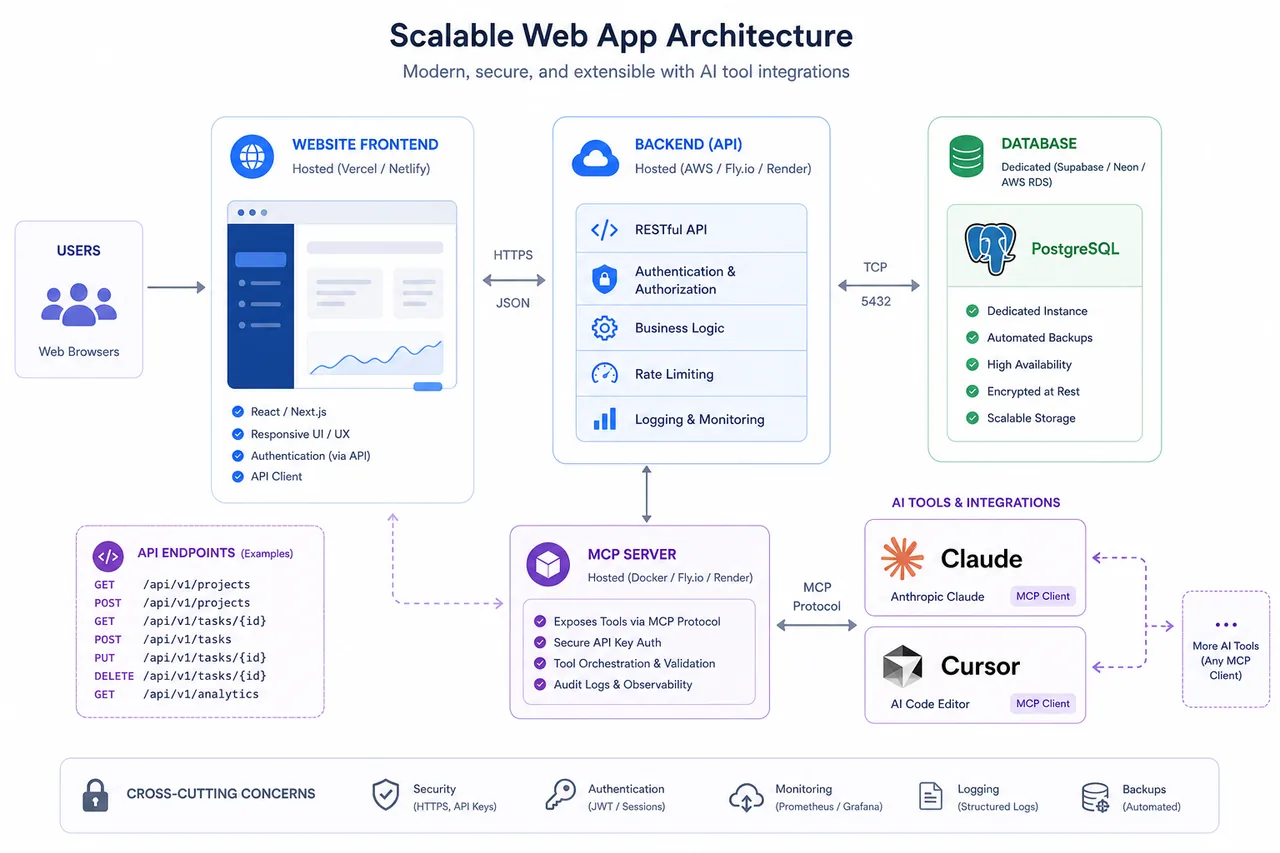
Flowdia avoids third-party backend assembly
Many builders quietly require you to stitch together:
- one tool for UI
- one for auth
- one for database
- one for automations
- one for APIs
- one for AI extensions
That stack can work, but it creates complexity, cost, and failure points.
Flowdia avoids this by providing a more complete environment on its own infrastructure. That is cleaner, faster, and more reliable.
Flowdia uses a 10-agent AI Agile Team
Most AI builder products rely on one general AI layer. Flowdia instead uses a 10-agent specialized AI team.
That structure maps much better to how software is actually built. Different responsibilities need different strengths. Product strategy, UX, architecture, QA, and security should not be flattened into one generic prompt loop.
Flowdia follows Plan, Design, Build, and Ship
This matters because chaotic iteration is expensive.
Flowdia’s structured workflow helps teams:
- clarify product requirements first
- improve UX before overbuilding
- reduce expensive rework
- keep shipping disciplined
- maintain continuity over time
Flowdia works with Claude and Cursor via MCP
This is a big differentiator for teams already using AI tools in their workflow.
Because Flowdia includes an MCP server and supports integration with tools like Claude and Cursor, your app is positioned for AI-native workflows instead of being isolated from them.
Flowdia claims 32% lower cost per app
Lower cost is not just about a cheaper sticker price. It is about fewer wasted cycles.
Flowdia’s structured workflow, memory, and specialized AI model are designed to reduce wasted credits and iteration churn, with claims of around 32% lower cost per app. In practice, that means less re-prompting, less rebuilding, and less backtracking.
Screenshots: how leading platforms present themselves
Zapier
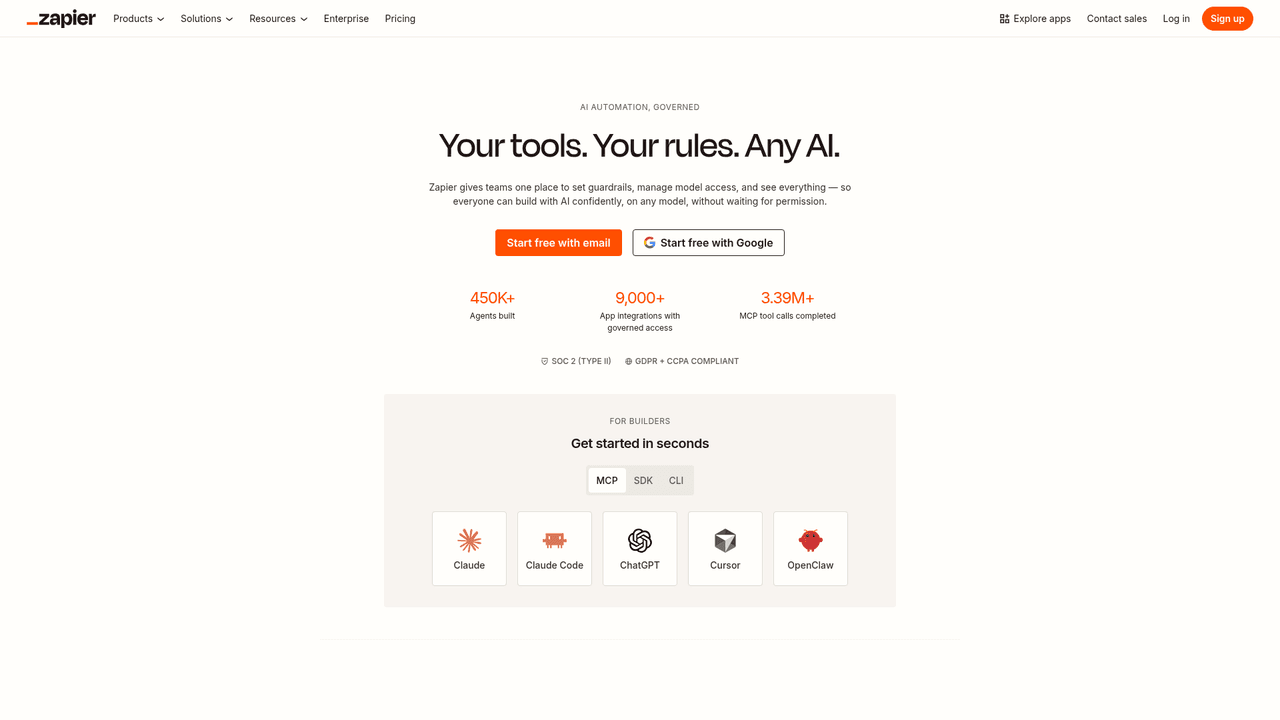
Zapier is excellent for automation and orchestration. It is especially strong when your app strategy depends on connecting many tools quickly. But it is not primarily a full-stack, production-grade app platform with dedicated backend architecture out of the box.
MindStudio
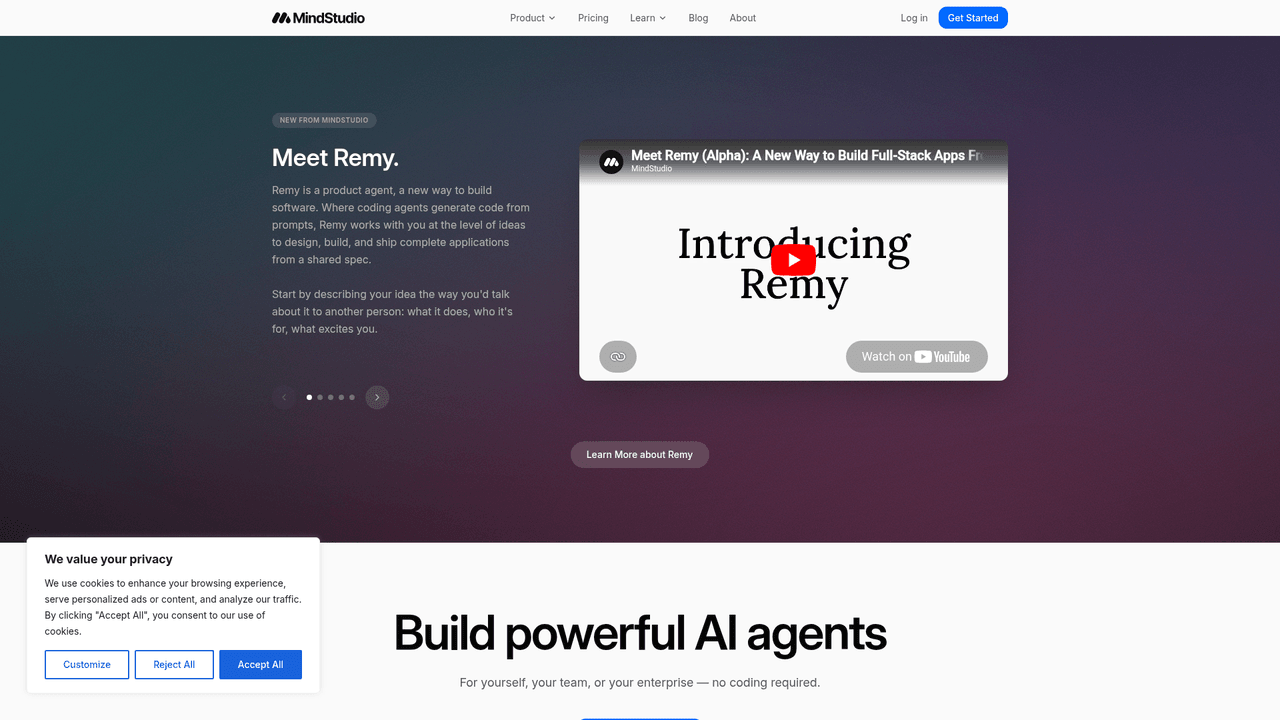
MindStudio pushes the conversation toward spec-driven and AI-assisted software creation, which is directionally right. But Flowdia’s differentiator is its tighter emphasis on a real hosted backend, dedicated Postgres, full app shipping flow, and multi-agent product delivery model.
Baserow
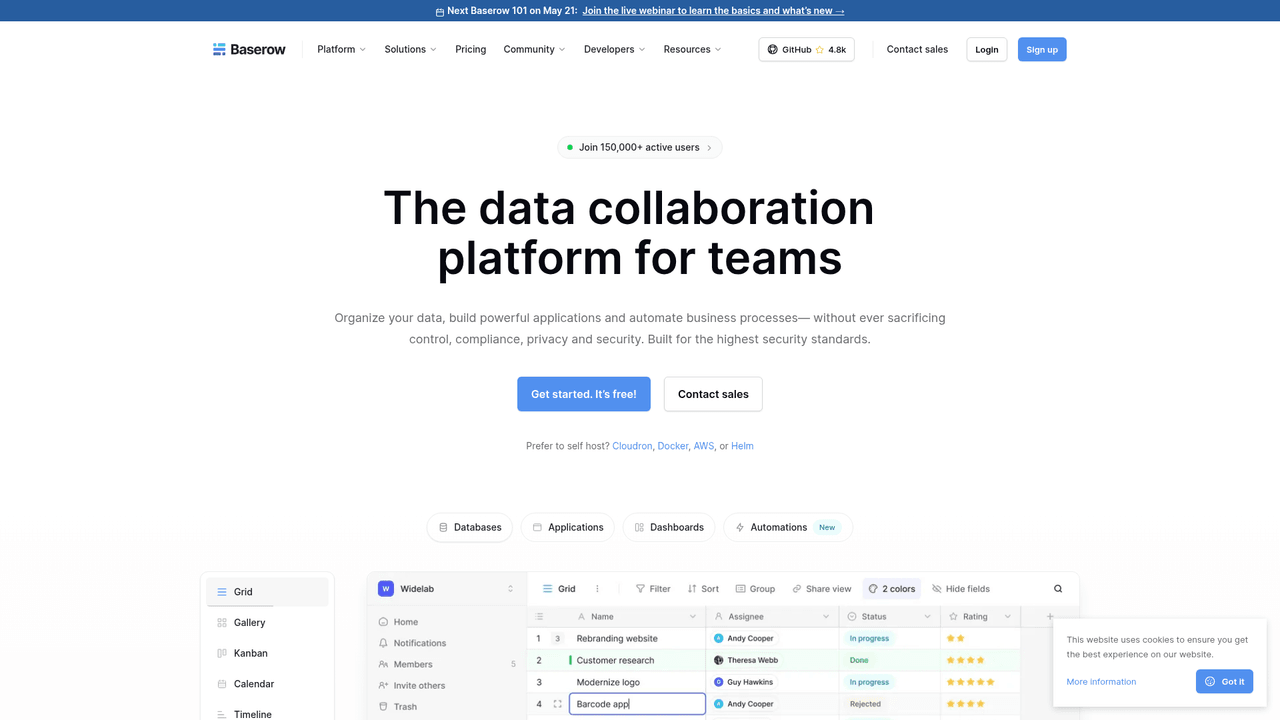
Baserow is strong for data-centric no-code use cases and internal tooling. Its open-source angle is appealing. But for teams that want a faster path to a complete, customer-facing application with hosted backend, API, and AI interoperability baked in, Flowdia solves a different and broader problem.
Build app no code: which path fits your use case?
If you need a quick internal tool
A lightweight no-code builder may be enough if:
- users are mostly internal
- workflow complexity is low
- scale is limited
- the app is operational, not strategic
If you need a polished marketing site
A design-first website builder is probably the right move if:
- content and branding matter most
- product logic is minimal
- you do not need deep backend functionality
If you need a real SaaS or customer-facing web app
This is where the bar changes.
You should strongly prioritize:
- hosted backend
- dedicated database
- stable app architecture
- preview and production environments
- API access
- AI-tool compatibility
- structured product workflow
This is the territory where Flowdia is especially compelling.
A blunt buying guide: how to avoid choosing the wrong builder
Before you choose any platform, ask these seven questions.
1. Am I building a product or a prototype?
If the honest answer is “product,” stop optimizing only for speed.
2. Where does the backend live?
If the answer is “I’ll figure that out later,” you are already taking on risk.
3. What database do I get?
If the platform cannot answer this clearly, that is a problem.
4. Can I test safely before publishing?
No preview environment means higher launch risk.
5. Will the system remember my project over time?
If every session starts from zero, your cost and inconsistency will grow.
6. Can I integrate with modern AI tools?
AI-native workflows are becoming part of the default stack, not an edge case.
7. Does the platform help me ship, not just generate?
This may be the most important question of all.
Why structured AI app building is beating pure prompt generation
Prompt-based builders are exciting because they compress the first hour of app creation.
Structured builders matter because they compress the next six months.
That is the deeper advantage of Flowdia’s model. Instead of turning software creation into prompt roulette, it turns it into a guided product workflow with specialized AI roles, infrastructure, memory, and shipping support.
That’s the kind of system founders and product teams need when the goal is not “look what I made,” but “we launched, users signed up, and it works.”
Final verdict: what real builders need
If your goal is to casually experiment, many no-code tools can help.
If your goal is to build app with no code in a way that gives you a serious shot at launching and growing a real product, your filter should change.
You should care less about:
- flashy first-run demos
- generic templates
- shallow drag-and-drop promises
And care more about:
- backend ownership
- database depth
- API access
- safe deployment workflows
- memory across iterations
- AI interoperability
- structured product development
That is exactly why Flowdia stands out.
It is built for people who want to move fast without sacrificing production readiness. You get a real hosted backend, a dedicated Postgres database, website/API/MCP endpoints, preview and production environments, thoughtful UX, and a 10-agent AI team working through a disciplined Plan, Design, Build, and Ship workflow.
If you are tired of AI builders that stop at demos, Flowdia is the more serious option.
Try Flowdia if you want to ship, not just generate
The no-code space is crowded. The real question is not which tool can make something appear fastest.
It is which tool can help you launch something real with less waste, less duct tape, and fewer rebuilds.
Flowdia is designed for that outcome.
If you want to build a real web app quickly — with infrastructure, memory, APIs, AI-tool integration, and a product workflow that actually holds up — try Flowdia.
FAQ
What no-code app builder should I consider?
If you want to build a real web application instead of a surface-level demo, consider a platform like Flowdia that includes a hosted backend, a dedicated Postgres database, API endpoints, and preview/production environments. The right choice depends on whether you need a true product stack or just a quick prototype.
Is there a way to build an app without coding?
Yes. Modern no-code and AI app builders let you build an app without coding by using visual workflows or structured AI assistance. The key is choosing one that supports real infrastructure, not just front-end generation.
What can developers do with a no-code app builder?
Developers can use no-code platforms to speed up delivery, test product ideas, build internal tools, and reduce repetitive setup work. Stronger platforms also help technical teams move faster with APIs, databases, and integration-ready architecture.
What types of applications can I build with a no-code tool?
You can build internal tools, client portals, SaaS products, dashboards, admin systems, and customer-facing web apps. The exact range depends on whether the platform includes serious backend support, database depth, and deployment workflows.
How much does a 1 million downloads app make a day?
There is no fixed number because revenue depends on the app’s business model — ads, subscriptions, purchases, retention, and geography all matter. A million downloads can mean very little revenue or a lot, depending on how well the product monetizes active users.
How do you create mobile apps that make $3,000 a day?
You need more than downloads — you need product-market fit, retention, and strong monetization through subscriptions, transactions, or ads. Start by building a usable product with real infrastructure, then optimize onboarding, engagement, and revenue mechanics over time.
