

Containers Are Isolation, Not Security
There is a sentence that most infrastructure engineers have heard, nodded at, and then proceeded to ignore in practice: containers are not a security boundary. It deserves more than a nod, because the consequences of misunderstanding it are severe when you run untrusted code.
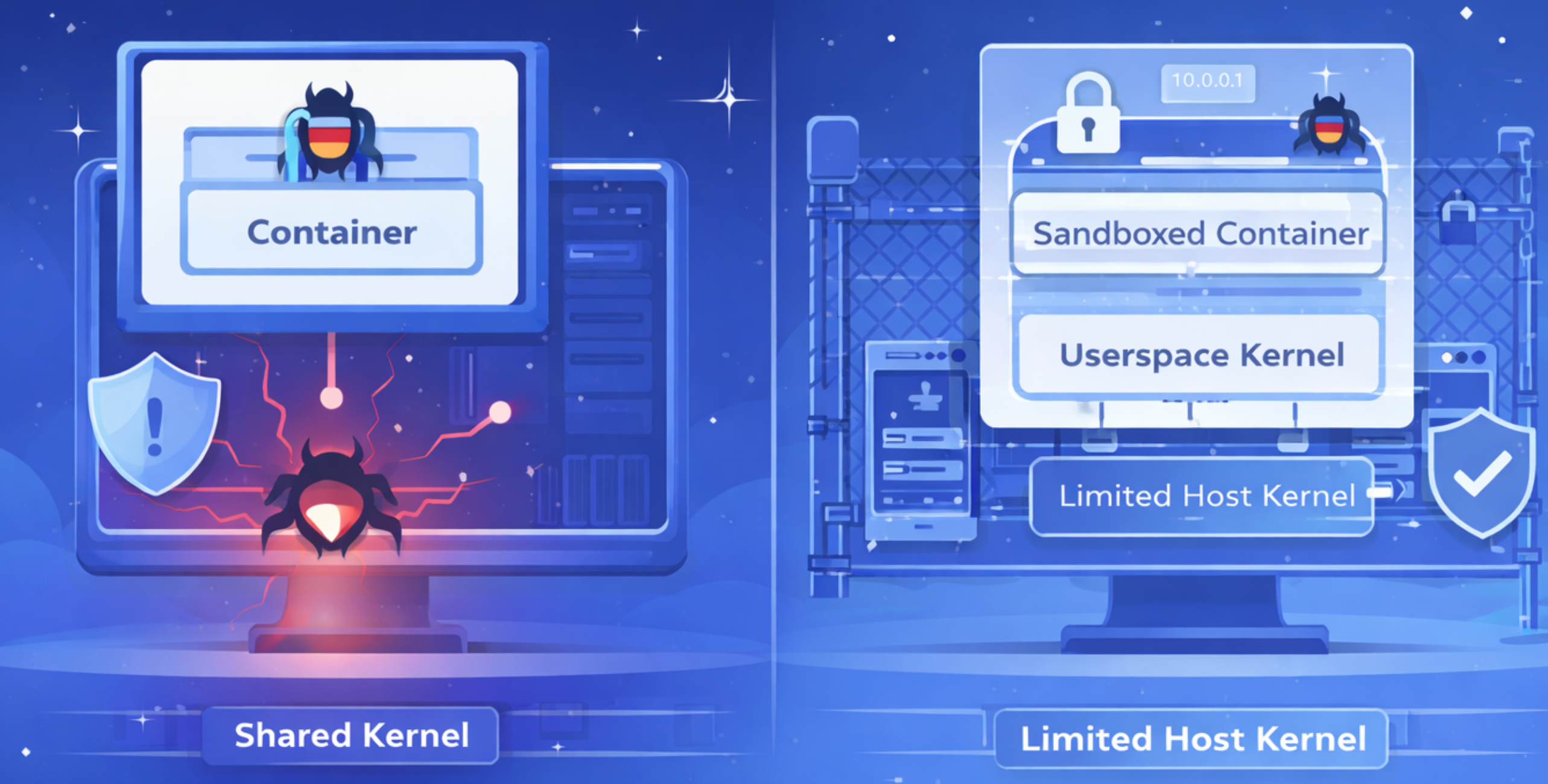
Standard Linux containers share the host kernel. Every container on a node makes syscalls to the same kernel. The kernel’s syscall interface on x86_64 exposes over 300 syscalls, many with complex input structures that accept pointers, nested structs, variable-length buffers, and flags with subtle interactions. A significant portion of these syscalls are rarely exercised in normal workloads, which means they are rarely audited, rarely fuzz-tested, and rarely the subject of careful security review. They exist, they are reachable, and they are part of the attack surface.
A kernel vulnerability exploitable via any syscall is exploitable from any container on that host. This is not theoretical. Container escape CVEs appear regularly. CVE-2022-0185 exploited a heap overflow in the filesystem context API. CVE-2022-0492 used cgroups to escape. CVE-2024-1086 leveraged a use-after-free in netfilter. Each allowed a process inside a container to gain host-level privileges. The common thread: they all exploited the shared kernel through its syscall interface.
Seccomp profiles reduce the attack surface by blocking unused syscalls. This helps, and you should use them. But they are coarse-grained. You can allow or deny a syscall, and with seccomp-BPF you can inspect some arguments, but you cannot deeply validate complex pointer-based arguments without significant performance overhead. A seccomp profile that blocks mount and ptrace and kexec_load is good hygiene. It is not a security boundary against a motivated attacker who finds a vulnerability in ioctl or futex or sendmsg — syscalls your workload legitimately needs.
When your platform runs untrusted or semi-trusted workloads — user-submitted code, AI-generated applications, third-party plugins — the threat model changes fundamentally. You are not protecting against accidental bugs. You are protecting against intentionally adversarial code. Standard container isolation was not designed for this.
At Flowdia, this is our reality. AI agents generate full applications including backend code, database queries, and shell commands, all running inside containers. The code is AI-generated and cannot be reviewed before execution. We needed a stronger boundary than the shared host kernel.
The Userspace Kernel Approach
The core idea: instead of letting the workload talk directly to the host kernel, interpose a userspace process that reimplements the kernel’s syscall interface. The workload makes syscalls normally, but they are intercepted and handled by a process running in userspace.
gVisor, an open-source project originally developed at Google, is the most mature implementation. Its central component is the sentry — a process that acts as the workload’s kernel. The sentry intercepts every syscall and handles it internally. File operations go through its own virtual filesystem. Network operations go through its own TCP/IP stack (netstack). Process management, memory management, signal delivery, and timer handling are all reimplemented.
The sentry is written in Go, a memory-safe language. This eliminates an entire class of kernel vulnerabilities — buffer overflows, use-after-free, double-free, out-of-bounds reads — from the interposition layer. The sentry can still have logic bugs, but it cannot have memory corruption bugs in the traditional sense.
The sentry only makes a small, well-defined set of syscalls to the host kernel. Instead of 300+ syscalls with complex arguments, the host sees a handful of simple operations: file read/write, memory allocation via mmap, and socket operations. The attack surface presented to the host kernel shrinks dramatically.
The key trade-off is three-dimensional: compatibility versus security versus performance. Not every syscall is implemented. Some behave subtly differently. Some are slower. But for most workloads — web servers, API backends, development tools — the compatibility is good enough and the performance overhead is acceptable.
What Gets Intercepted and What Does Not
Most operations are handled entirely within the sentry. When the workload calls read(), the sentry’s virtual filesystem serves it from its own page cache. When it calls connect(), netstack handles the three-way handshake in userspace. When it calls fork(), the sentry creates a new entry in its own process table. The host kernel is uninvolved.
Some operations must touch the host. Reading from a mounted volume requires host filesystem access. Sending packets on a real network interface requires kernel networking. These go through a separate restricted process called the gofer. The gofer runs with a minimal capability set and its own tight seccomp profile — it can only perform the specific host operations the sentry requests.
Even if the workload exploits a bug in the sentry, the sentry runs with limited capabilities, in its own namespaces, with its own seccomp profile. An exploit that escapes the userspace kernel still faces multiple barriers: the sentry’s reduced privileges, the gofer’s restricted interface, Linux namespaces, and the host’s own seccomp policy. In a standard container, a single kernel exploit gives you host-level access. With a userspace kernel, you need to chain multiple independent exploits — the attack chain is significantly longer.
| Syscall Surface | Overhead | Compatibility | Isolation Strength | Complexity | |
|---|---|---|---|---|---|
| Standard Containers | Full host kernel (~300+ syscalls) | Negligible | Full Linux compatibility | Namespace/cgroup isolation only | Low |
| Seccomp Profiles | Reduced (blocked syscalls unavailable) | Negligible for allow/deny | Full for allowed syscalls | Blocks unused syscalls, no deep arg validation | Medium |
| Userspace Kernel (gVisor) | Small set to host (~20-50 syscalls) | Moderate for syscall-heavy workloads | Good for standard workloads, gaps for exotic ones | Userspace interposition + restricted host access | High |
| MicroVMs (Firecracker/Kata) | Minimal (VM boundary) | Moderate (VM boot, memory overhead) | Full Linux inside VM | Hardware-level isolation (VMX/EPT) | High |
MicroVMs provide stronger isolation — hardware virtualization is a well-studied boundary. But they carry higher memory overhead and slower startup. A userspace kernel occupies a middle ground: stronger than containers, lighter than VMs, with compatibility trade-offs that matter for some workloads and not others.
Integrating a Sandbox Runtime With an Orchestrator
Most orchestrators have a plugin or driver model that abstracts the container runtime. The orchestrator handles scheduling, health, lifecycle, and failures. The driver handles runtime-specific details. Writing a driver plugin for a sandboxed runtime means implementing a standard interface:
Create — set up the sandbox environment. Pull the container image, create the filesystem bundle, configure network interfaces. This is where the sandboxing decision is made — the orchestrator asks for a container, the driver creates a sandboxed container instead.
Start — launch the workload inside the sandbox. The runtime creates the sentry, starts the gofer, executes the workload’s entrypoint. From the orchestrator’s perspective, identical to starting a standard container.
Health check — verify the workload is alive via HTTP probe, TCP check, or command execution inside the sandbox. The health check exercises the sentry’s network stack, which is itself ongoing validation that the sandbox functions correctly.
Stop — gracefully terminate the workload. Signal the process, wait for shutdown, force-kill if necessary. Tear down sentry and gofer.
Destroy — clean up all resources. Remove the filesystem bundle, release network interfaces, delete sandbox metadata. Leave no state behind.
The critical design property: the workload does not know or care that it is sandboxed. An AI agent generating a Node.js application writes standard code, the orchestrator schedules it, the driver silently wraps it in a sandbox. This separation of concerns is what makes the approach practical at scale.
Networking in a Sandboxed Runtime
The networking bugs described in Part 3 of this series exist partly because of the sandboxed runtime’s userspace network stack.
Netstack is a security feature: the workload never interacts with the host kernel’s network stack. No raw sockets, no iptables manipulation, no traffic sniffing. But this creates a dual-layer networking architecture. The host kernel sees a veth interface with no IP address from its perspective — netstack owns the IP internally. ARP resolution goes through the userspace stack, not the kernel’s ARP table. Checkpointing and restoring must account for both layers: kernel-level veth configuration and the userspace stack’s TCP connections, socket buffers, and ARP entries.
This is the deliberate trade-off. The networking complexity in Part 3 is the operational cost of the security boundary described here. Every debugging session tracing connectivity through two network stacks is the price of ensuring untrusted code cannot interact with the host’s network. For workloads executing AI-generated code with no human review, we believe the trade-off is worth it.
Per-Workload Isolation Beyond the Runtime
The sandboxed runtime is one layer. Defense-in-depth means assuming any single layer can fail and ensuring the remaining layers limit the damage.
Per-workload database credentials. Each workload gets its own isolated database and user. Even if a workload escapes the sandbox and reaches the database server, it can only access its own data. No shared database user, no connection string granting cross-workload access.
Encrypted secrets. API keys and credentials are encrypted at rest, decrypted and injected only at startup. The decryption key is managed by the orchestration layer and is not accessible to the workload process.
Network namespace isolation. Each workload runs in its own network namespace. Workloads on the same host cannot see each other’s traffic, connect to each other’s ports, or discover each other’s IPs.
Filesystem isolation. Each workload has its own filesystem view. No shared filesystem between workloads — a workload cannot read another’s files even if it escapes its mount namespace.
Resource limits. CPU, memory, and storage quotas enforced at the cgroup level prevent one workload from starving others, whether through legitimate load or a deliberate fork bomb.
The goal: a sandbox escape alone does not give you access to other workloads’ data. A database credential leak alone does not give cross-workload access. An attacker needs to compromise multiple independent layers simultaneously. Each layer is independently monitored and audited.
Performance and Compatibility Trade-offs
We believe in being honest about costs, because an engineer who discovers the trade-offs in production will lose trust in the entire approach.
Syscall overhead. Every syscall goes through the userspace kernel. For syscall-heavy workloads — heavy file I/O, thousands of small network requests per second — this adds measurable overhead. For typical web applications and development servers, the overhead falls in the low single-digit percentage range and is not user-perceptible. For workloads making millions of syscalls per second, benchmark before committing.
Compatibility gaps. Certain ioctl operations are unavailable. Some /proc entries are absent or return different values. Advanced features like userfaultfd may not be supported. Standard workloads — Node.js, Python, Go, Ruby, Java — run without modification. Exotic workloads — GPU compute, custom kernel modules, low-level profiling tools — may hit compatibility walls.
Debugging difficulty. strace from the host shows the sentry’s syscalls, not the workload’s. tcpdump captures kernel-side packets but the userspace stack’s state is invisible. You need runtime-specific debugging tools, which increases the learning curve for incident response.
When to sandbox and when not to. Sandbox when you run untrusted code, user-submitted scripts, AI-generated applications, multi-tenant workloads. Do not sandbox when you need maximum performance, exotic kernel features, or when the workload is fully trusted. The decision framework: does your threat model include adversarial code execution? If yes, sandbox. If no, standard containers with seccomp are likely sufficient.
Takeaways
Containers provide resource isolation — cgroups for limits, namespaces for visibility. They do not provide security isolation against a workload that intentionally tries to exploit the shared kernel.
A userspace kernel reduces the syscall attack surface from hundreds of complex entry points to a handful of simple ones. The interposition layer, written in a memory-safe language, eliminates entire vulnerability classes. The trade-off is performance overhead, compatibility gaps, and increased operational complexity.
Defense-in-depth — per-workload credentials, encrypted secrets, network isolation, filesystem isolation, resource limits — complements runtime sandboxing. No single layer is sufficient. The security of the system is the product of independent layers, not the strength of the strongest one.
The sandboxing decision should be driven by your threat model. If you run untrusted code, the overhead is justified. If you do not, it is unnecessary cost.
At Flowdia, we use gVisor sandboxing for all AI-generated application containers. The AI agent writes code that executes immediately — there is no human review step. The sandboxed runtime is what makes this safe.
In the final post of this series, we will show how all these pieces — the lifecycle state machine, the TCP proxy, the networking repairs, and the sandboxed runtime — compose into a production system, and share the operational lessons we learned along the way.
